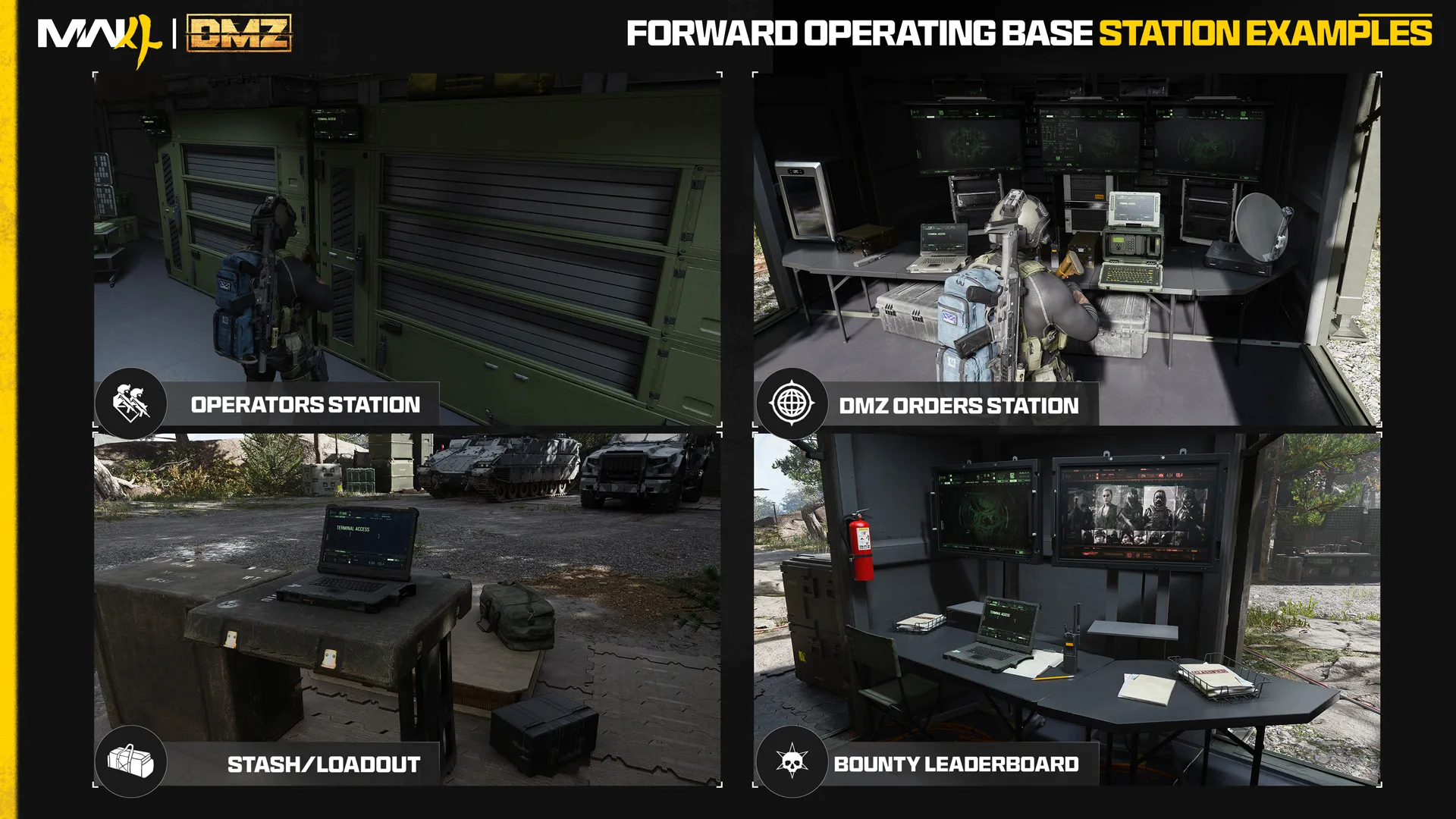


FOB station
Stash / Loadout
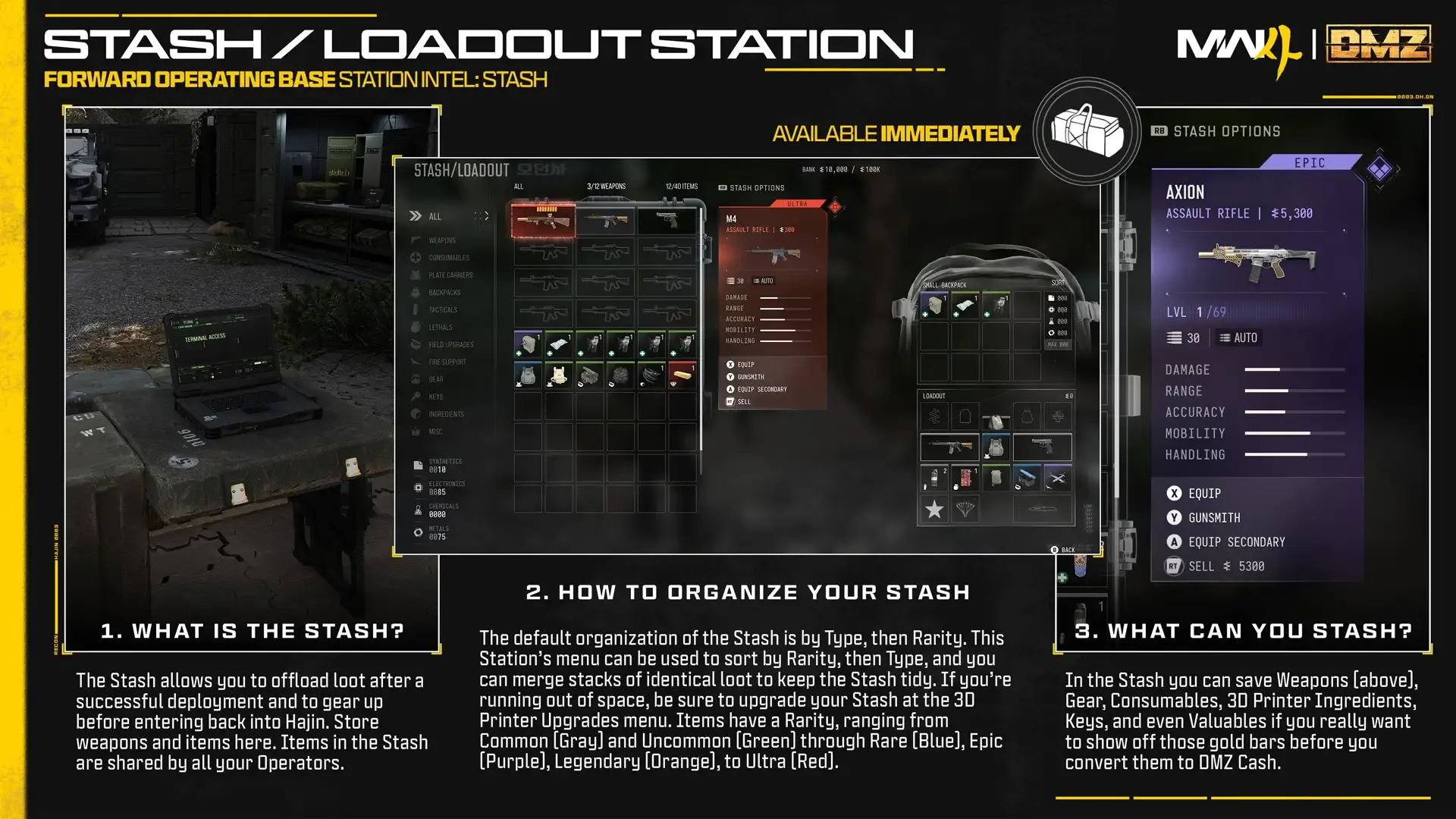
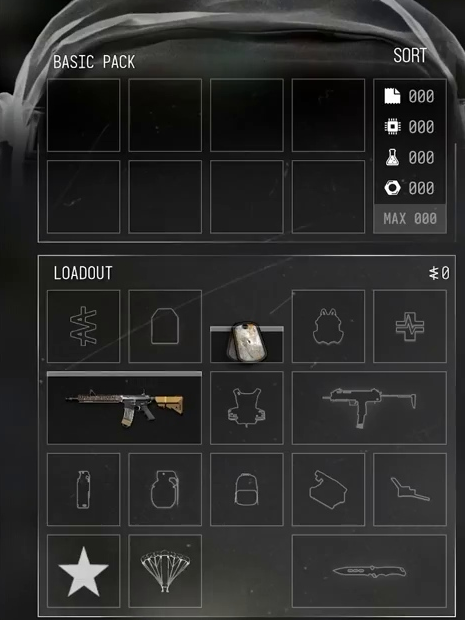
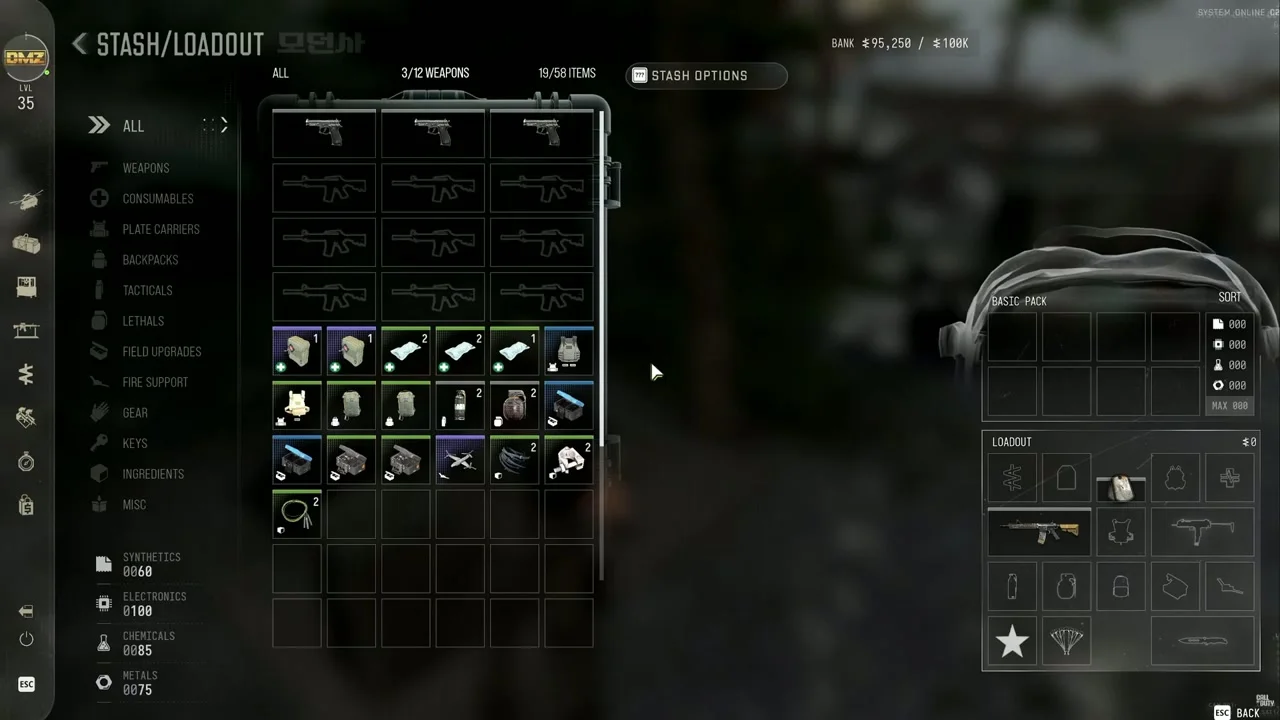
Store extracted weapons, gear and Ingredients in the shared FOB Stash, then equip your active Operator's Loadout for the next deployment.
Characteristics
- Available at
- FOB, outside deployment
Open Stash / Loadout
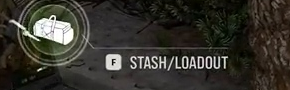
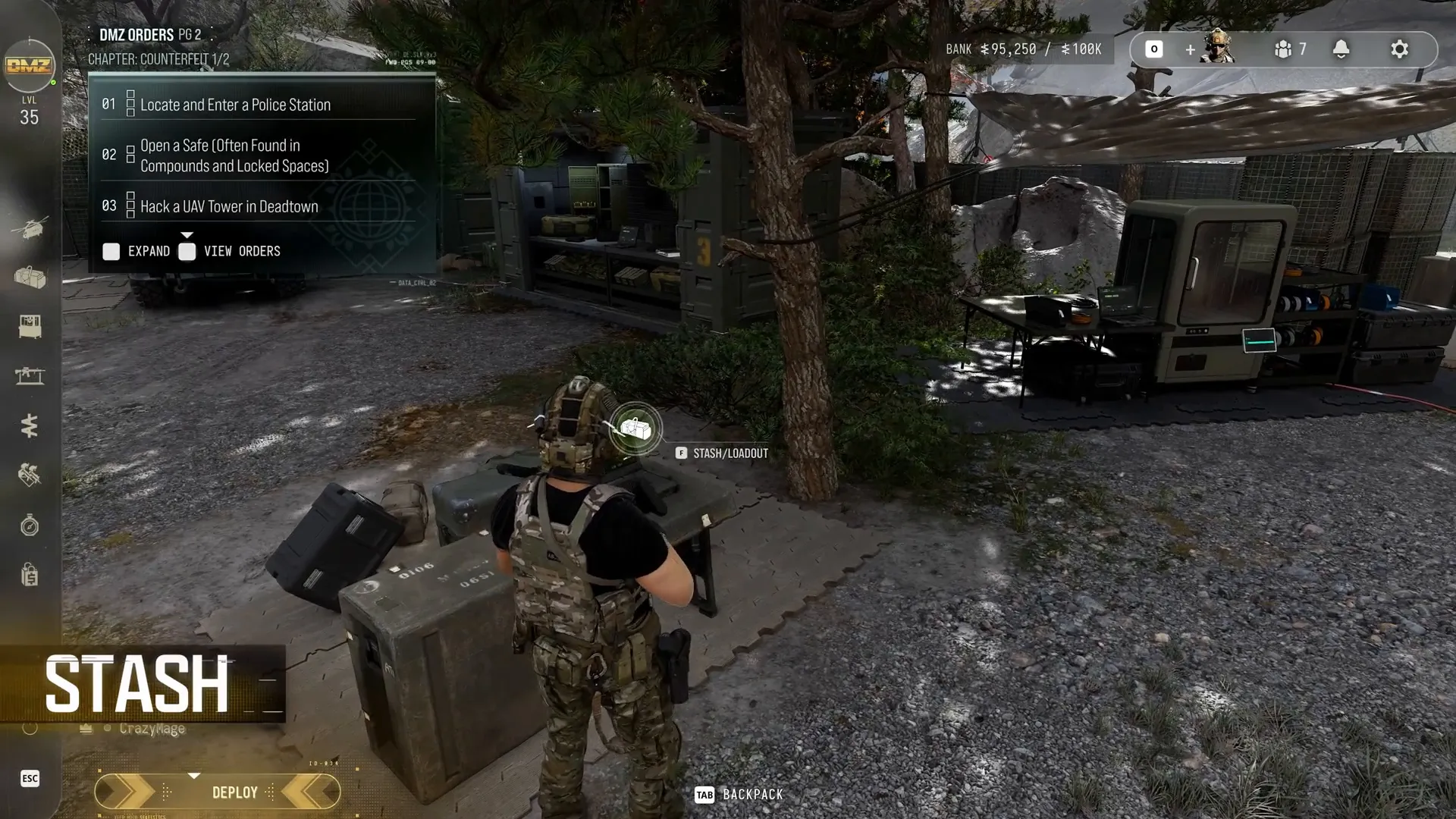
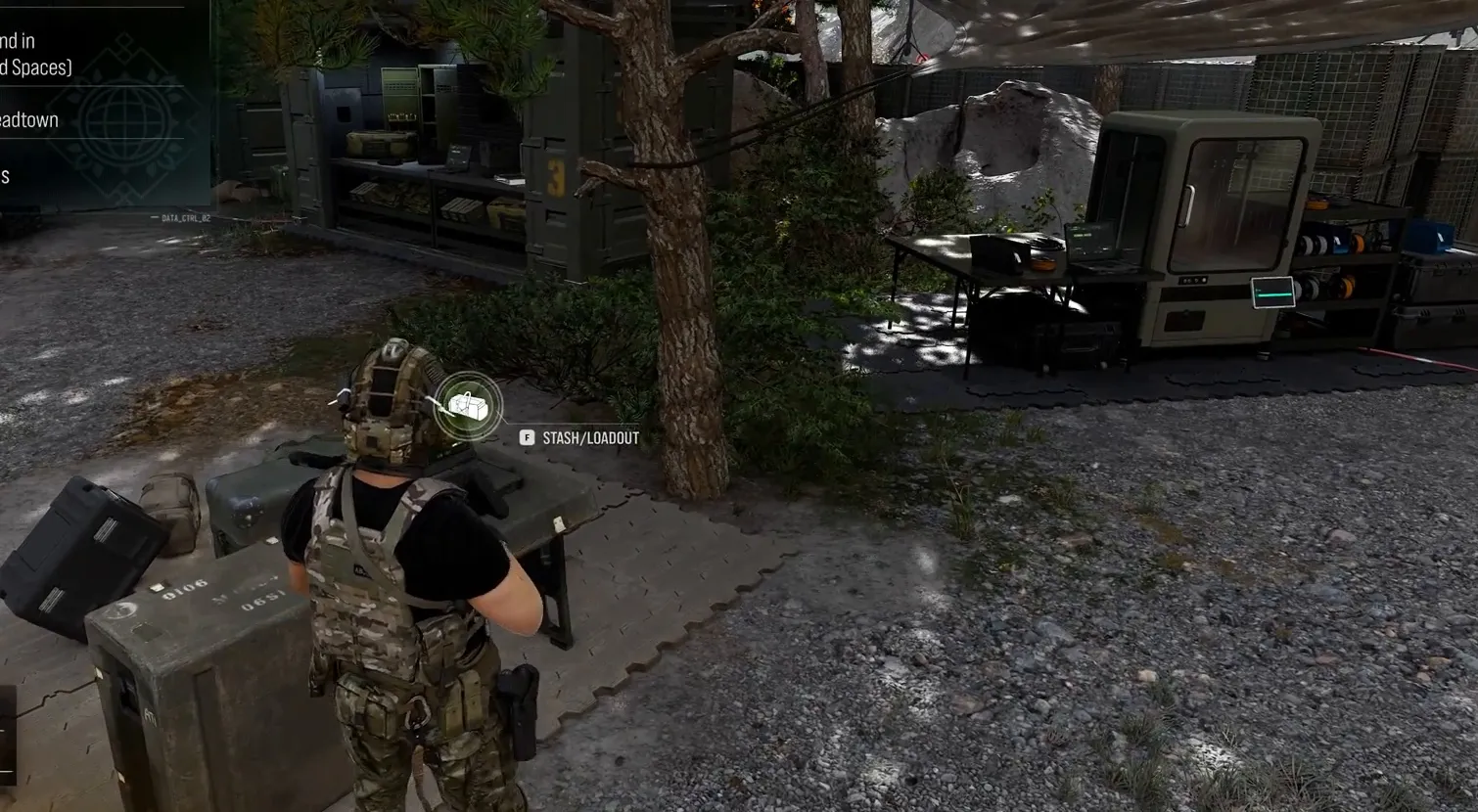
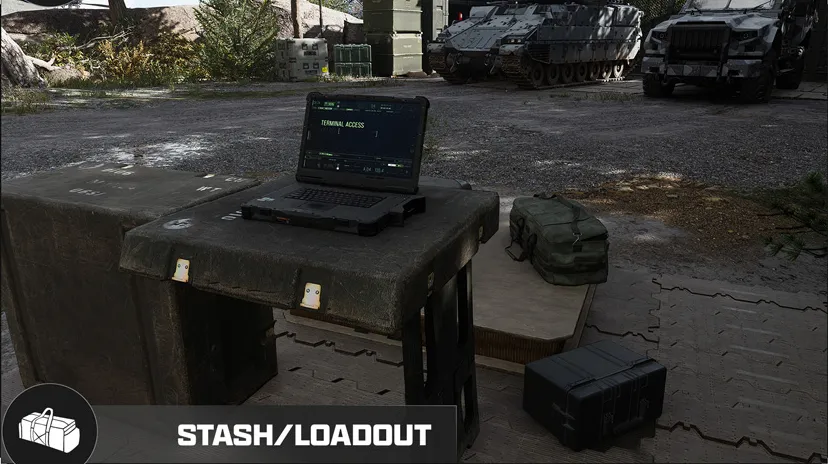
Approach the stash cases in the FOB and use the Stash/Loadout prompt.
Inventory and loadout
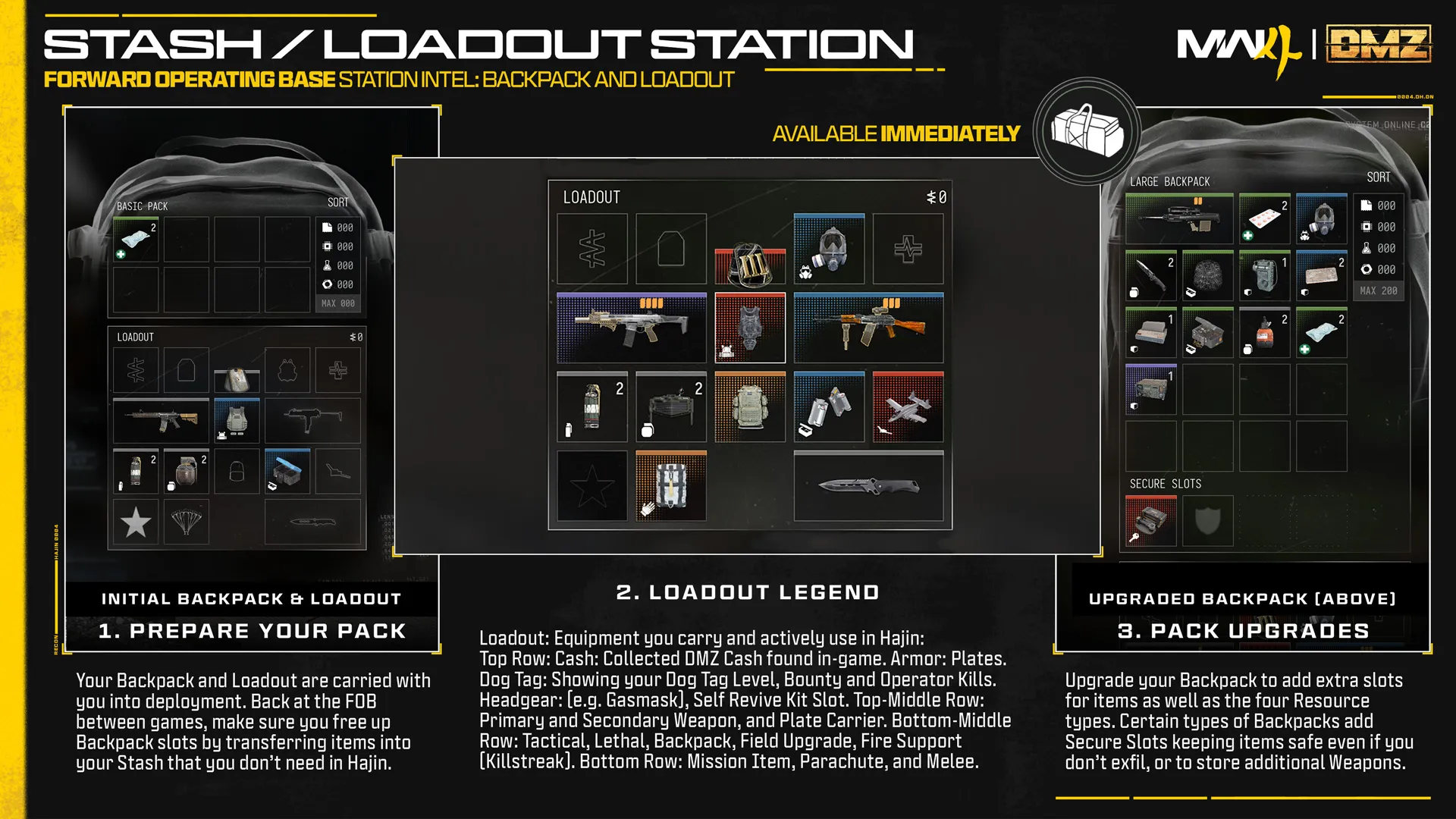
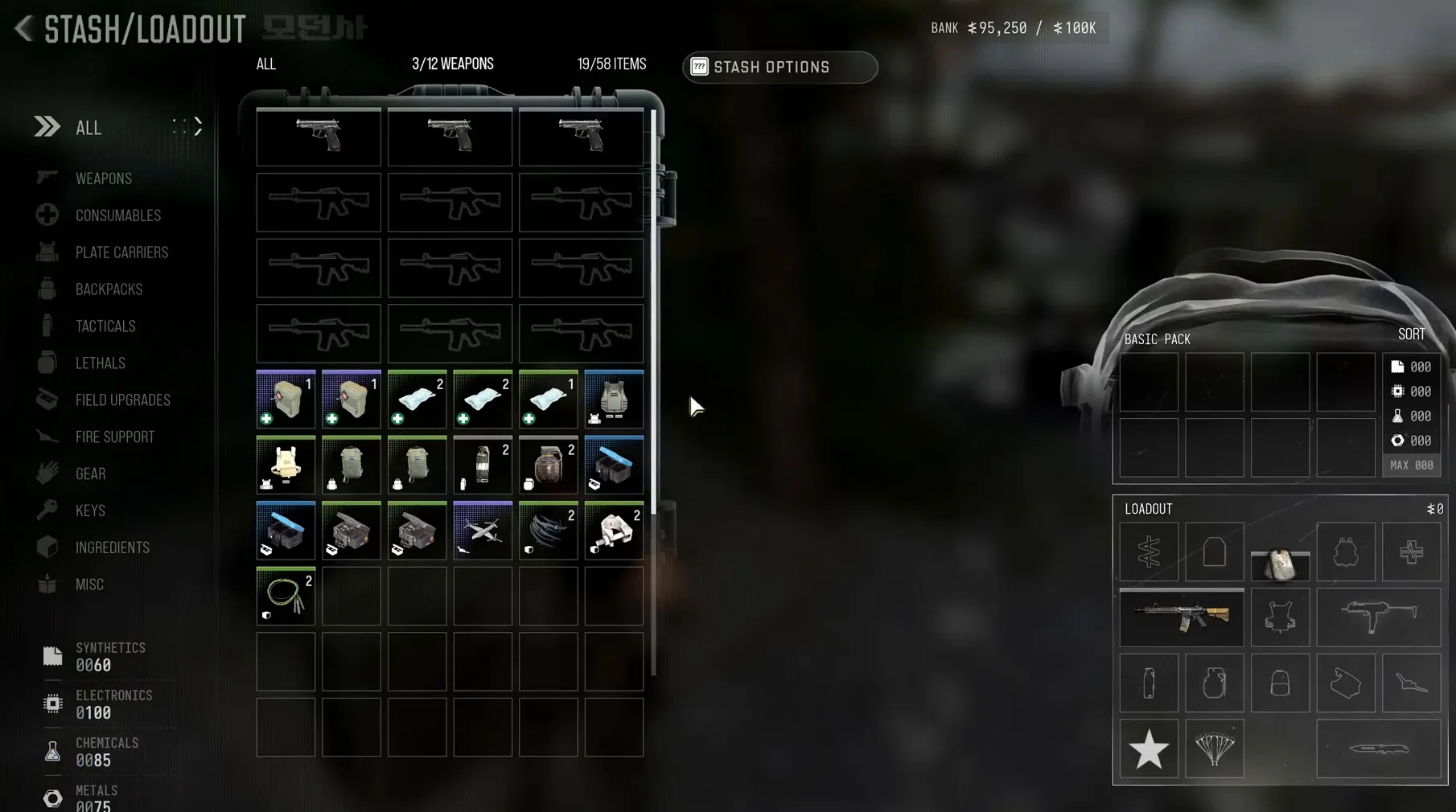
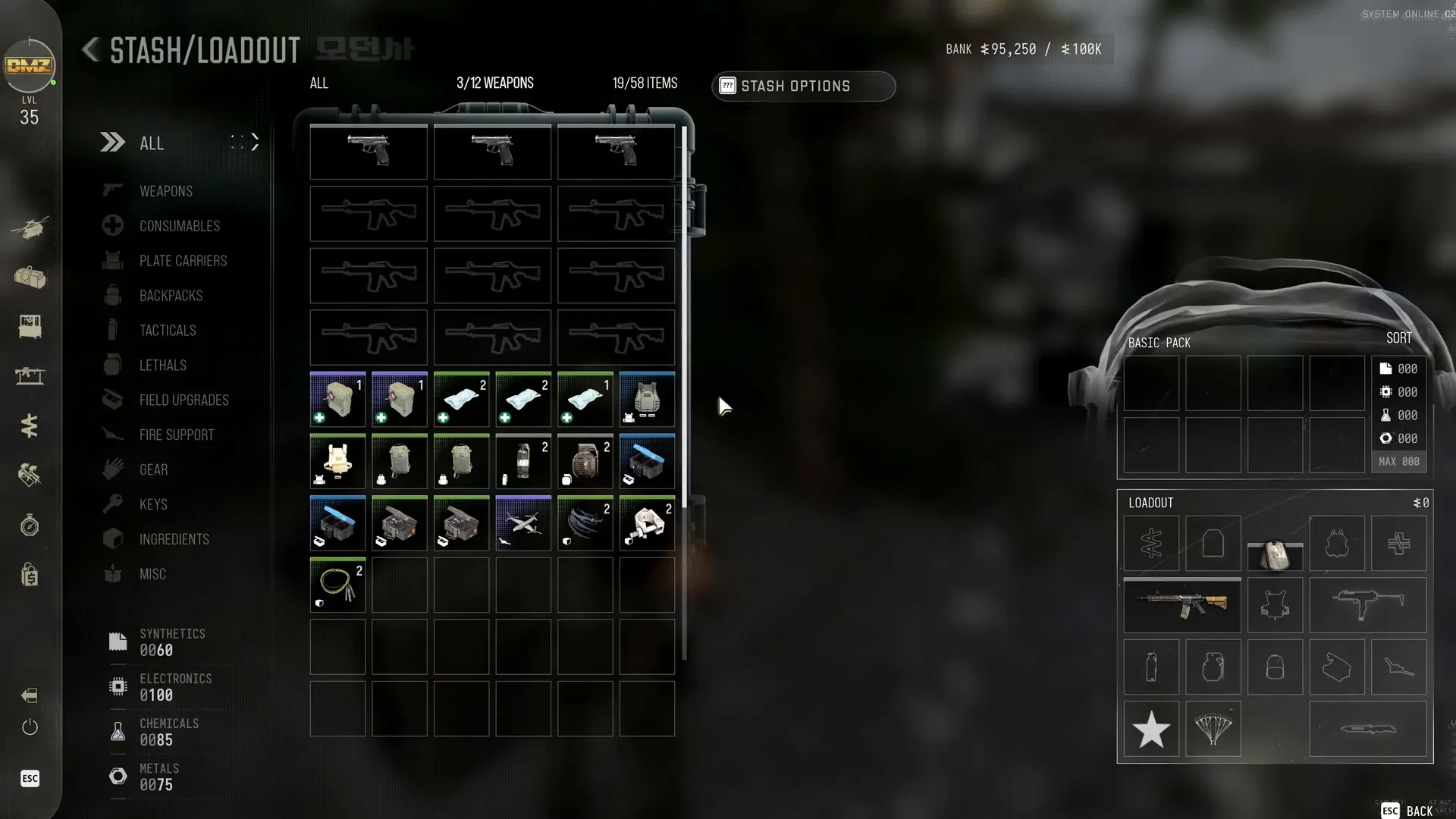
The Loadout holds equipped weapons and gear for deployment. The Backpack carries additional items; the shared Stash keeps supplies at the FOB.
Print upgrades
First FOB Orders
Progression tracks
Access and storage
Available immediately in the FOB and left-side blade menu. The Stash begins with 40 general-item slots and 12 weapon slots, counted separately. Store weapons, gear, consumables, Ingredients, Keys and valuables. Stash contents remain at the base and are shared across Active Duty Operators.
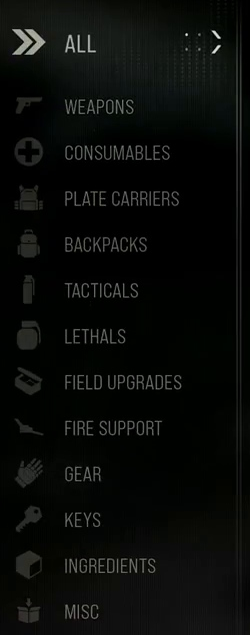
Organizing loot
Sort by Type then Rarity, or Rarity then Type, and merge matching stacks. Stack limits depend on the item. After exfil, choose what to keep, sell, craft with or discard.
Loadout and Backpack risk
The Loadout is the equipment actively carried and used during deployment. The Backpack holds other supplies and, on eligible upgrades, weapon or Secure Slots. Items outside Secure Slots are lost on failed exfil; do not interpret secure storage as protection for the whole Backpack.
Resources and Ingredients
Synthetics, Electronics, Chemicals and Metals are stored in separate Resource pools and do not occupy ordinary Stash slots. Ingredients remain intact and use Stash storage.
Rarity labels
The inventory uses Common, Uncommon, Rare, Epic, Legendary and Ultra rarity labels.
Stash upgrade levels
| Reward and level | Upgrade |
|---|---|
| Level 22 · Plus 18 Stash Slots | Adds 18 additional Item Stash slots |
| Level 35 · Plus 6 Weapon Stash Slots | Adds 6 additional Weapon Stash slots |
| Level 45 · Plus 18 Stash Slots | Adds 18 additional Item Stash slots |
| Level 60 · Plus 6 Weapon Stash Slots | Adds 6 additional Weapon Stash slots |
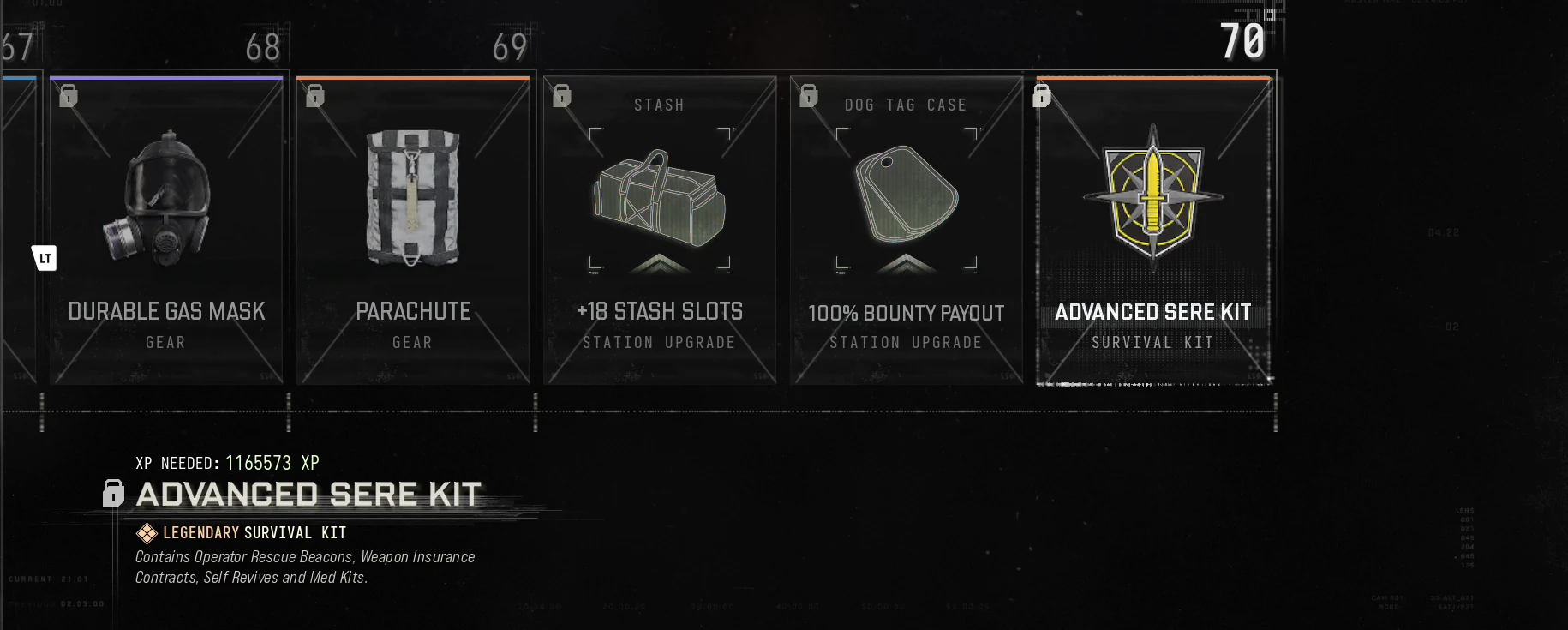
| Level 70 · Plus 18 Stash Slots | Adds 18 additional Item Stash slots |
These are separate item-slot and weapon-slot upgrades. Unlocking an upgrade does not mean the printing requirements have already been paid.
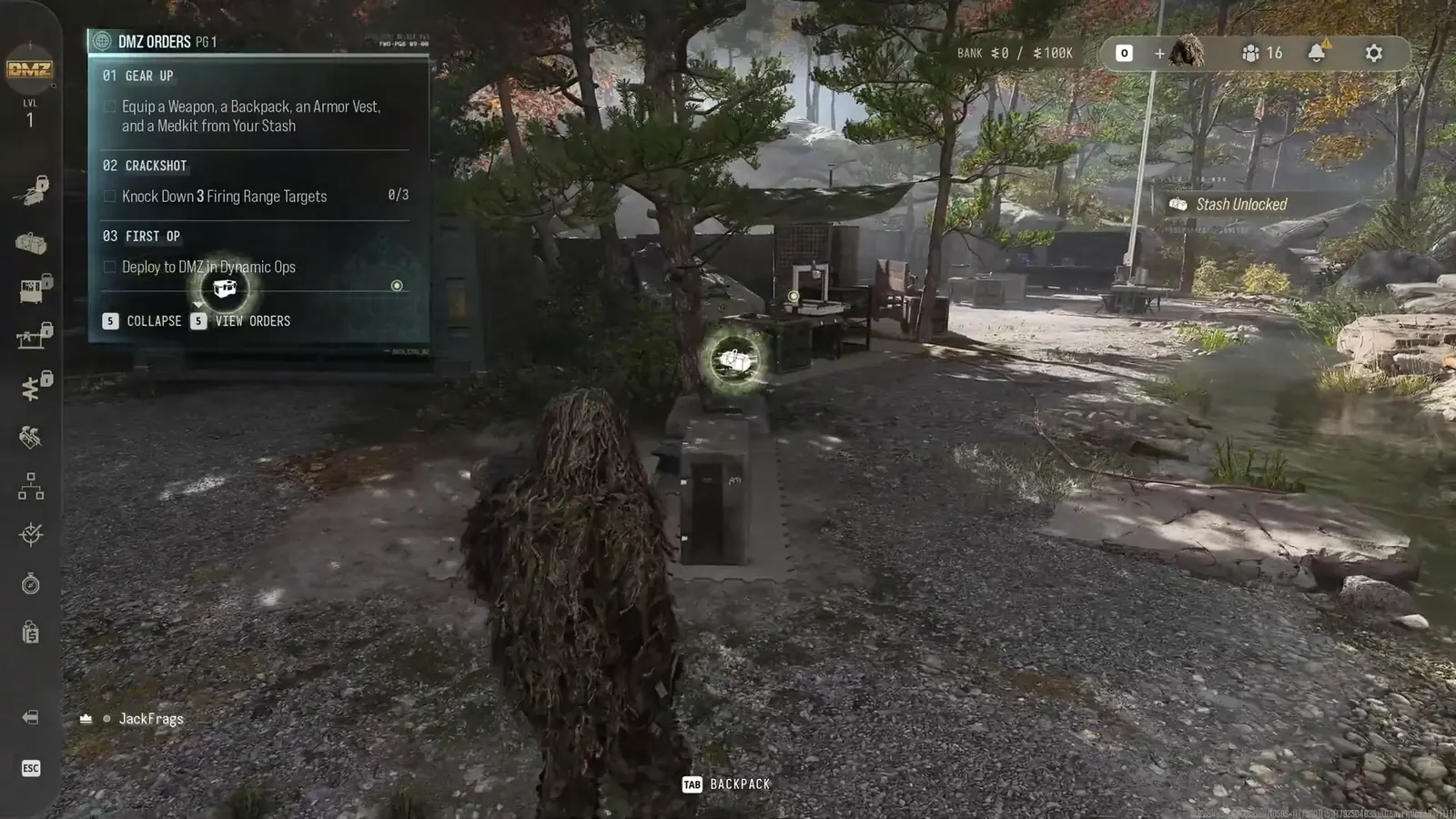
Gear Up
Equip a weapon, backpack, armor vest and Medkit from your Stash.
First FOB visit: deployment issue
Some players cannot access Orders or deploy after selling starting equipment or dismissing their equipped Active Duty Operator during the first FOB visit. Infinity Ward’s workaround is to join a friend and deploy into DMZ; progress is restored on entering Hajin. Status checked October 20, 2026: investigating.
Recorded progression unlocks
| Track | Level | Entry | Type |
|---|---|---|---|
| DMZ Player | 70 | +18 Stash Slots | Station upgrade |
| DMZ Player | 35 | +6 Weapon Stash Slots | Station upgrade |
| DMZ Player | 45 | +18 Stash Slots | Station upgrade |
| DMZ Player | 60 | +6 Weapon Stash Slots | Station upgrade |
| DMZ Player | 22 | +18 Stash Slots | Unlock / reward |
A Recipe entry unlocks printing; it is separate from receiving a ready-made item. Main Player/Multiplayer ranks do not establish a DMZ recipe, purchase price or loot restriction.
Shared supplies and carried items
The Stash’s four shared Resource pools are separate from the Operator’s carried Resource counters. Moving or carrying gear is separate from owning it in Stash. The recorded starting totals are account examples, not a universal starting grant.
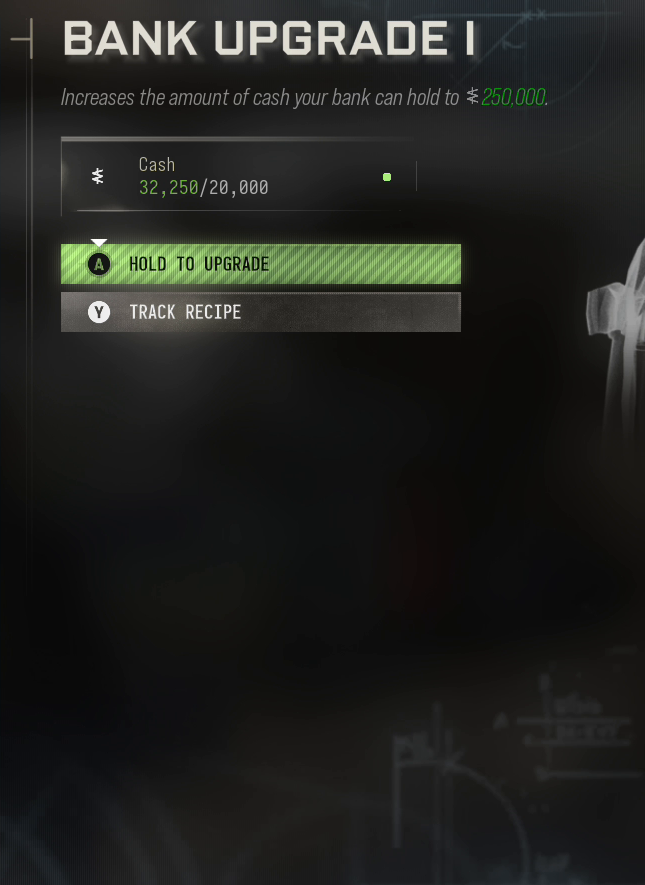
Bank Upgrade I
Increases the amount of cash your bank can hold to 250,000.
| Material | Required per print |
|---|---|
| Cash | 20000 |
These are the selected upgrade stage I requirements for each print, separate from any full upgrade completion counter.
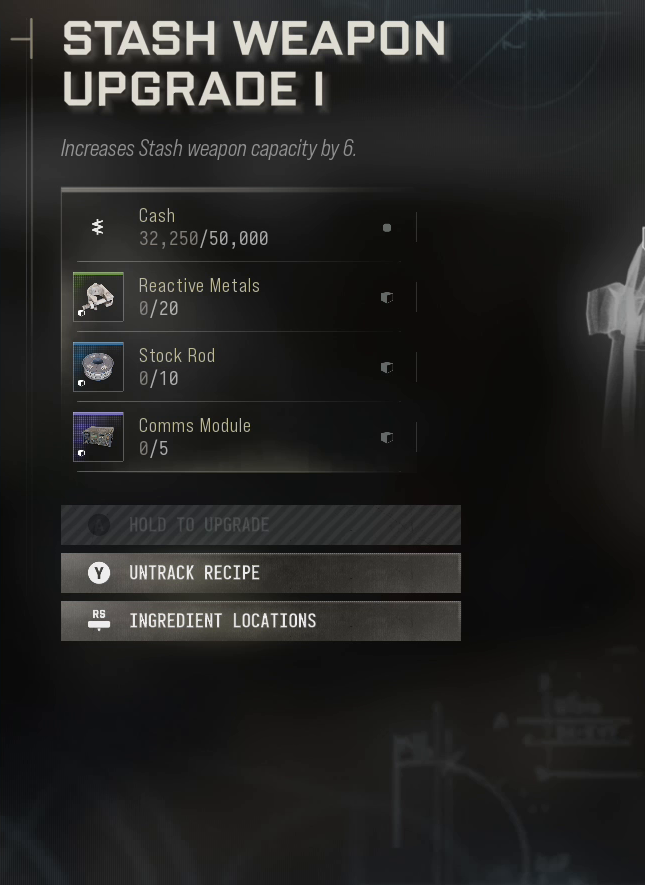
Stash Weapon Upgrade I
Increases Stash weapon capacity by 6.
| Material | Required per print |
|---|---|
| Cash | 50000 |
| Reactive Metals | 20 |
| Stock Rod | 10 |
| Comms Module | 5 |
These are the selected upgrade stage I requirements for each print, separate from any full upgrade completion counter.
Official launch updates
2026-10-24 — The official global/UI update corrects DMZ Stash commands appearing in the middle of the screen. Contextual action labels and item values retain their selected-source scope.
2026-10-20 — The publisher lists a released fix for selling starting equipment or dismissing an equipped Active Duty Operator before the first deployment causing a soft lock. The earlier join-a-friend workaround remains dated history, not the current default instruction.
Screenshots